Your slide deck,
now interactive
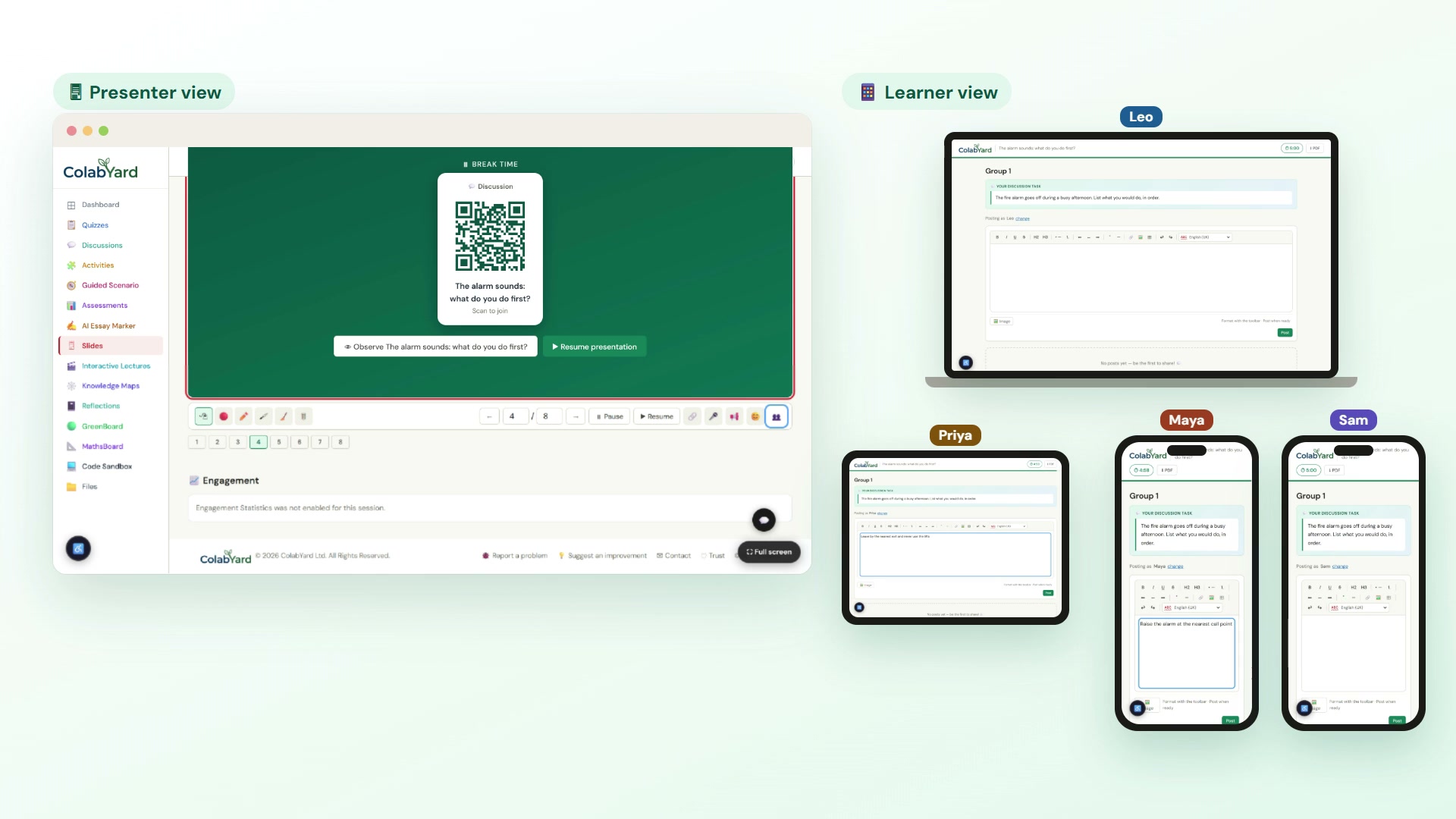
Interactive Lecture lets you present a PDF live and pause at break points to launch a quiz, activity or discussion — the QR shows on the projector while a tap-to-join card lands on every learner's device. No accounts, no friction, no switching tabs.
How it works
Upload your deck
Drop in a PDF and present it live — every learner screen stays in sync, just like Slides.
Add break points
Choose the slides to pause on, then attach a quiz, drag & drop activity or group discussion to each break.
Learners join instantly
At each break the QR appears on the projector and a tap-to-join card pushes to every connected device — no accounts needed.
Resume and roll on
One click resumes the deck. Weave checks, debates and activities through your lecture without ever leaving the flow.
Watch it in action
Everything in one flow
- ✓ Present a PDF deck with live sync, annotation, laser pointer and chat
- ✓ Pause after any slide for a quiz, activity or discussion
- ✓ QR on the projector + tappable “Join now” card on learner devices
- ✓ Mix multiple interactive items into a single break
- ✓ Drop a whole Interactive Lecture into any Module
- ✓ Live viewer tracking — see who is active, inactive or has left
Frequently asked questions
What is an interactive lecture?
An interactive lecture is a slide presentation with break points built in. You present as normal, then pause after a chosen slide to run a quiz, activity or discussion on every learner’s device before carrying on with the deck.
How do learners join the activity at a break?
The QR code appears on the projector and a tap-to-join card is pushed to every connected learner device. No student accounts are needed.
What can I put in a break?
A quiz, a drag and drop activity or a group discussion — and you can mix more than one item into a single break.
Can I see who is following?
Yes. Live viewer tracking shows who is active, who has gone inactive and who has left while you present.
Bring your lectures to life
Free to use. No student accounts needed. Start in minutes.
Create your account →